

User guide · Getting started
Choose your language
What it is
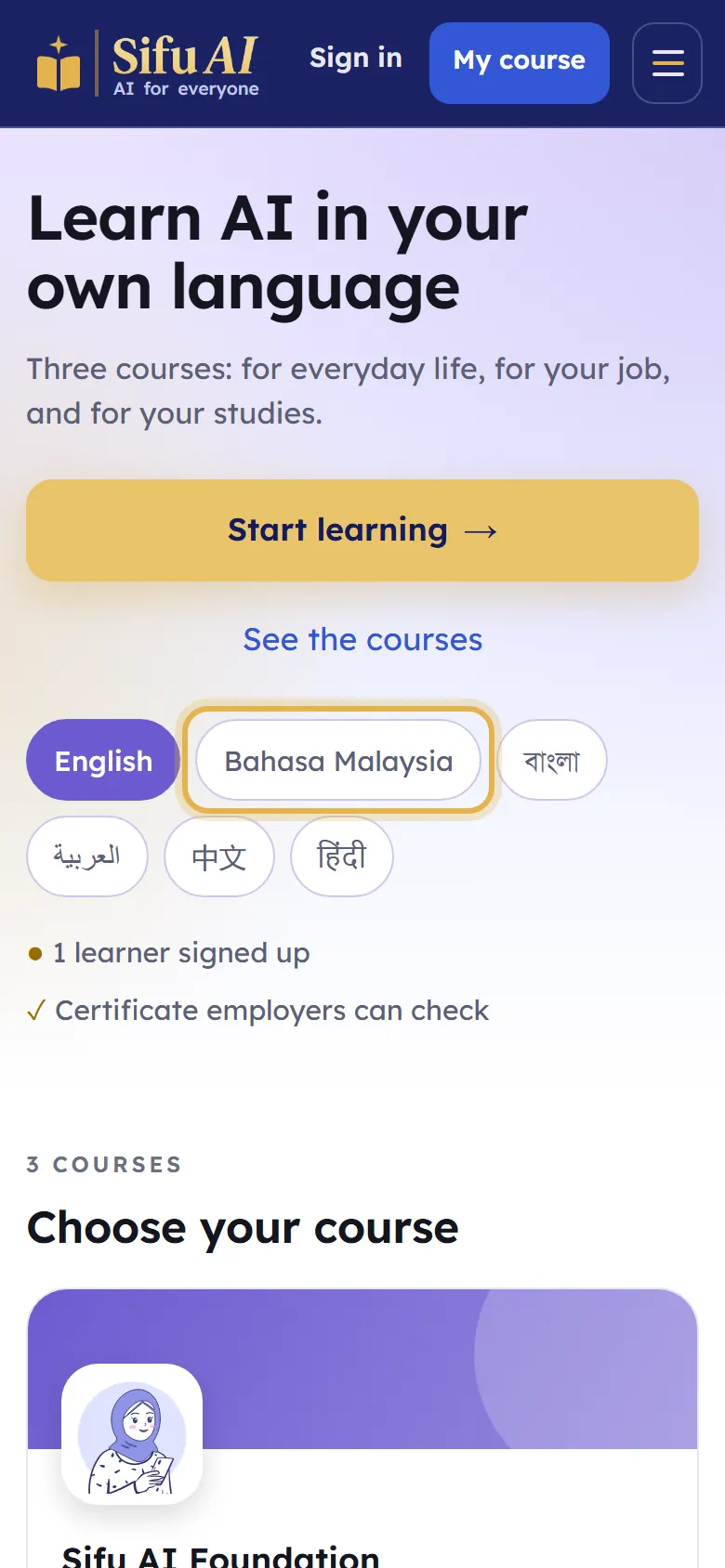
Sifu AI works in English, Bahasa Malaysia, Bangla, Arabic, Chinese and Hindi. The lessons, the books and the teacher's voice follow the language you choose.
Where to find it
- Home page
- The language buttons
How to do it
On the home page, tap your language. The whole site changes at once.
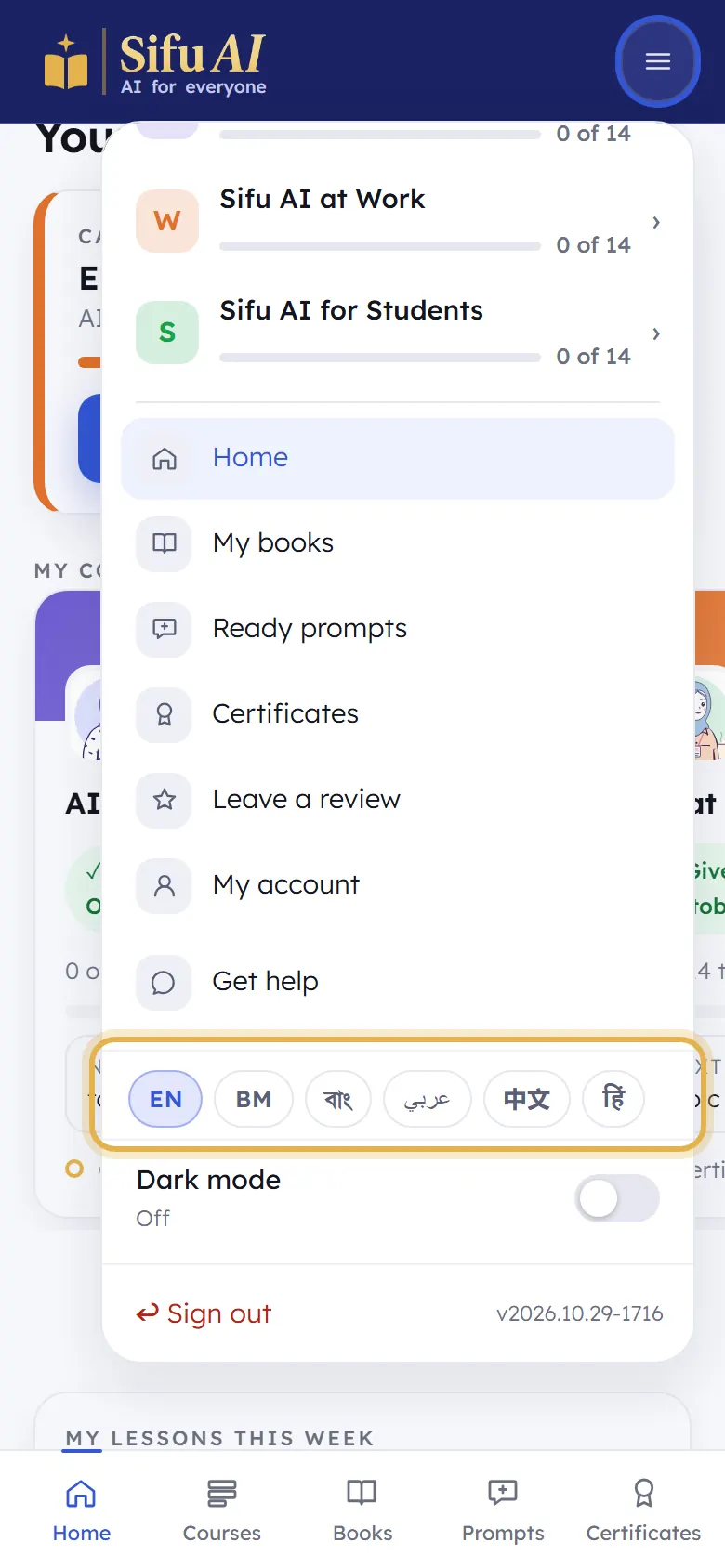
After you sign in, you can change it any time: tap the menu button at the top right, then pick your language near the bottom.
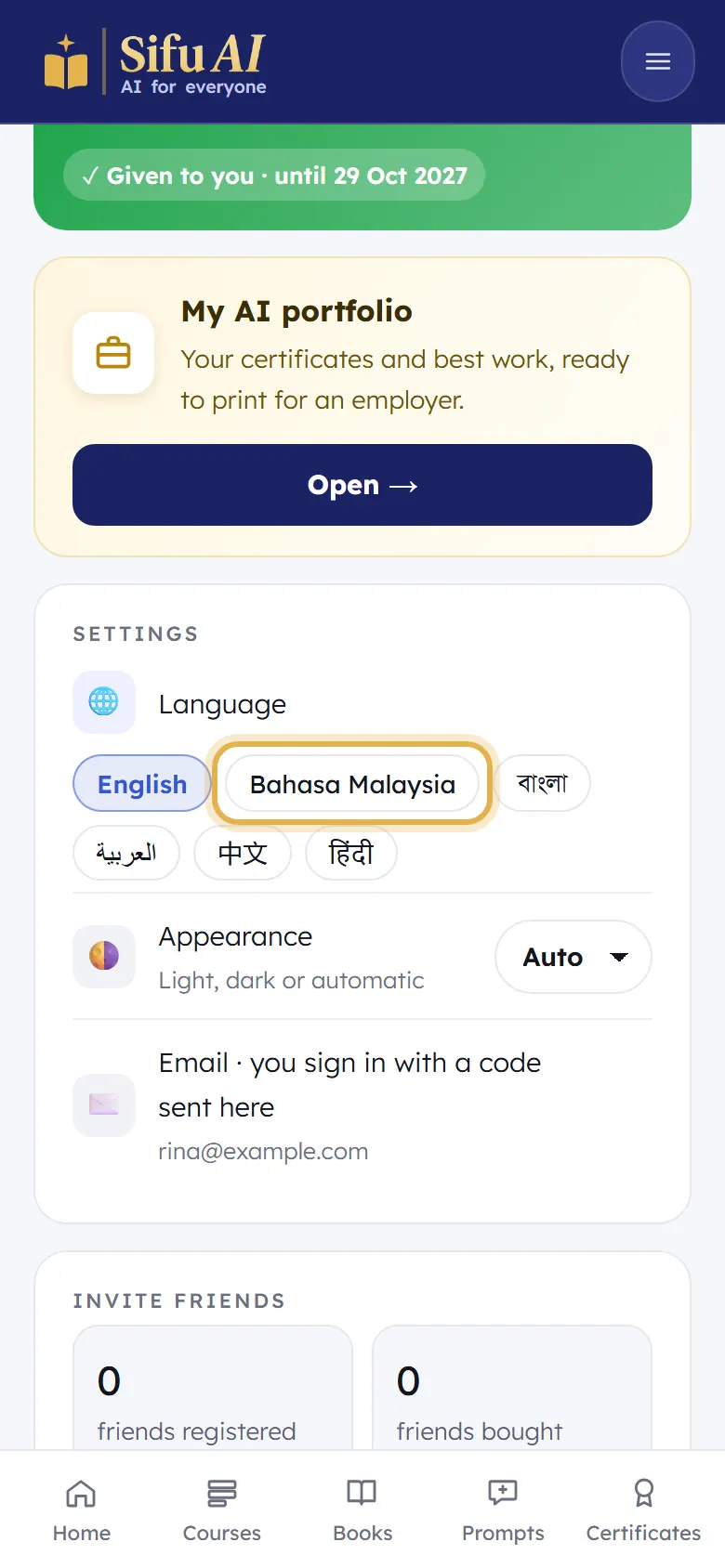
You can also change it in My account, under Settings, then Language.
Still stuck? We answer every message.