

User guide · Courses and paying
Use a coupon code
What it is
A coupon code takes money off your course. You type it in while you pay.
Where to find it
- Checkout
- Have a coupon code?
How to do it
Start buying the course as usual. Under Your order, find Have a coupon code?
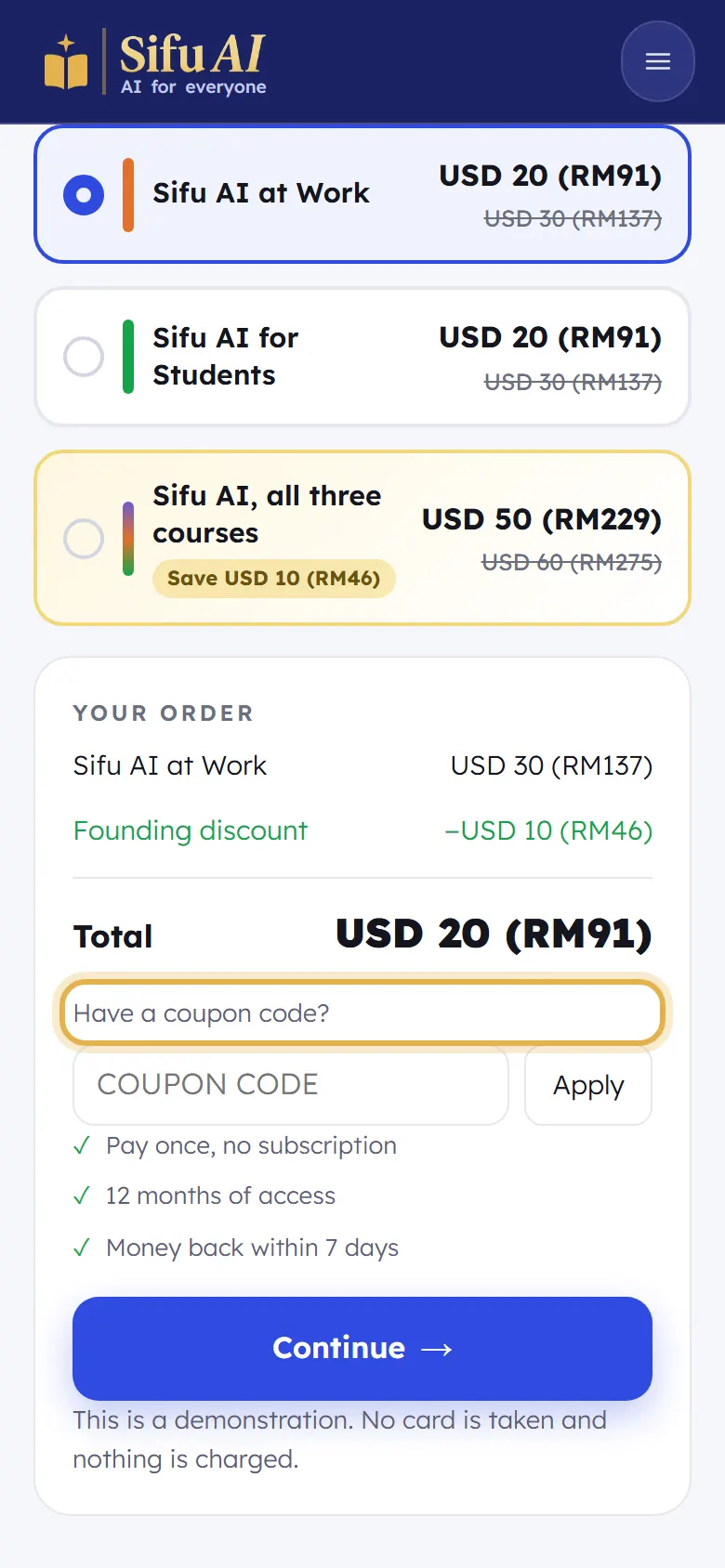
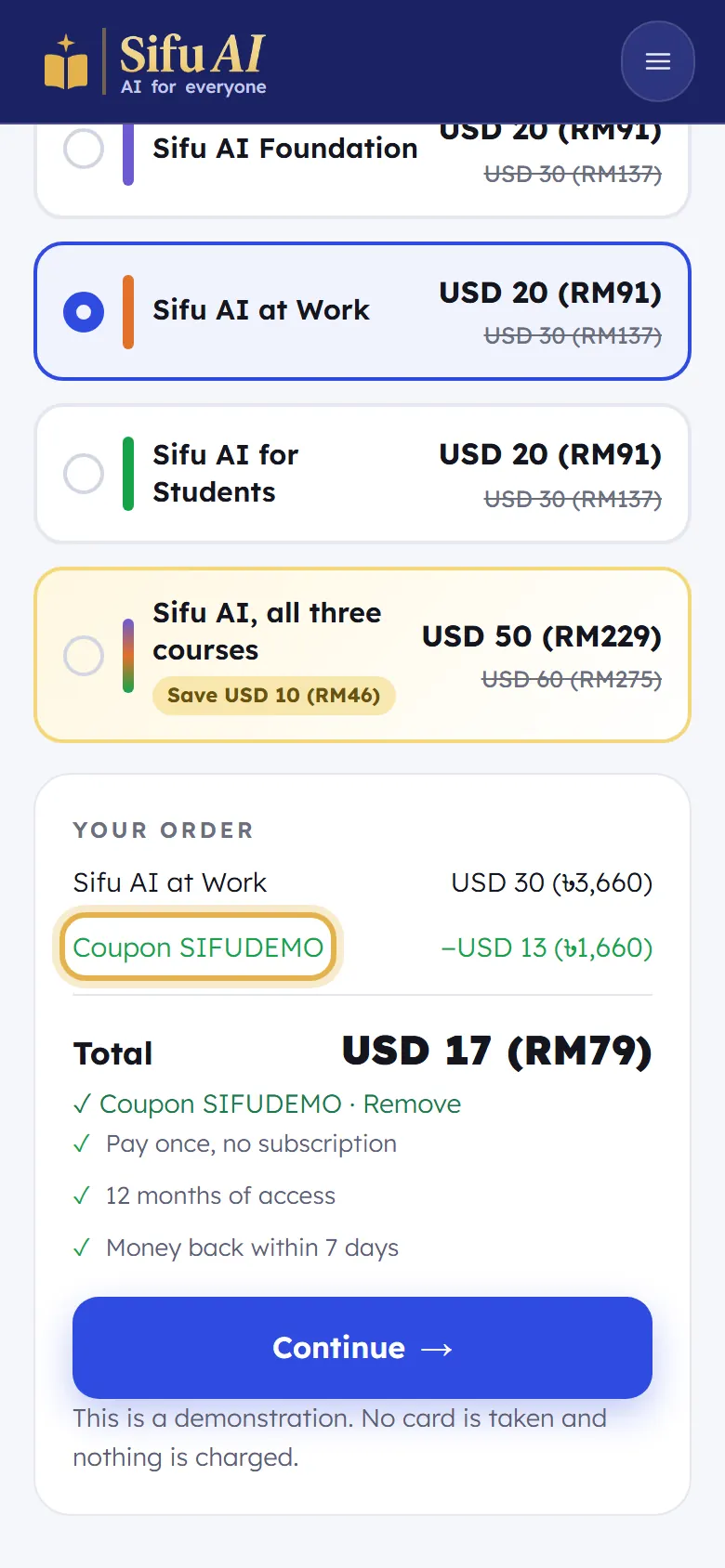
Type your code and tap Apply. The money off and the new Total show straight away. Then tap Continue.
If you are stuck
- My code does not work.
- Check the spelling and capital letters. Some codes work only for a time or for one course.
Still stuck? We answer every message.